TSS Export

Übersicht
The TSS export is part of the DSFinV-K export. The TSS export contains the following information:
- Certificate file ending in .pem or .der . Attention: Please do not open the TSS export file, but forward it unopened to the examiner. The pem or der file is a certificate file that can only be opened by a program from the tax authorities.
- The serial number of the TSS is also encoded in the TSS export.
- The log information of the TSS, from which it can be concluded whether the TSS is functioning properly and all transaction data has been stored in a tamper-proof manner. The log information includes, among other things:
- Information on the time of creation, paid items, item prices, VAT rates and payment method of invoices
- Information on the time of creation, ordered items, item prices, VAT rates of orders
Based on this data, a check can be used to determine whether the transactions from your orderbird checkout have been signed in accordance with the KassenSichV and are stored in a tamper-proof manner.
The complete DSFinV-K export, which processes and validates the data from the TSS export in a different way, is currently not yet available, but will soon be available via MY orderbird.
Get TSS Export
If you are asked about the TSS export during an exam, you can provide the complete report (e.g. " TSS_Export_xxx_xxx.tar ") directly by email to the examining person:
- Go to MY orderbird > Data exports > TSS Export.
- Click on " Create TSS Export " and in the next step enter an e-mail address to which you would like to receive notification when the TSE Export is available for download. All data available to date is included in the export. You cannot set a specific time period.
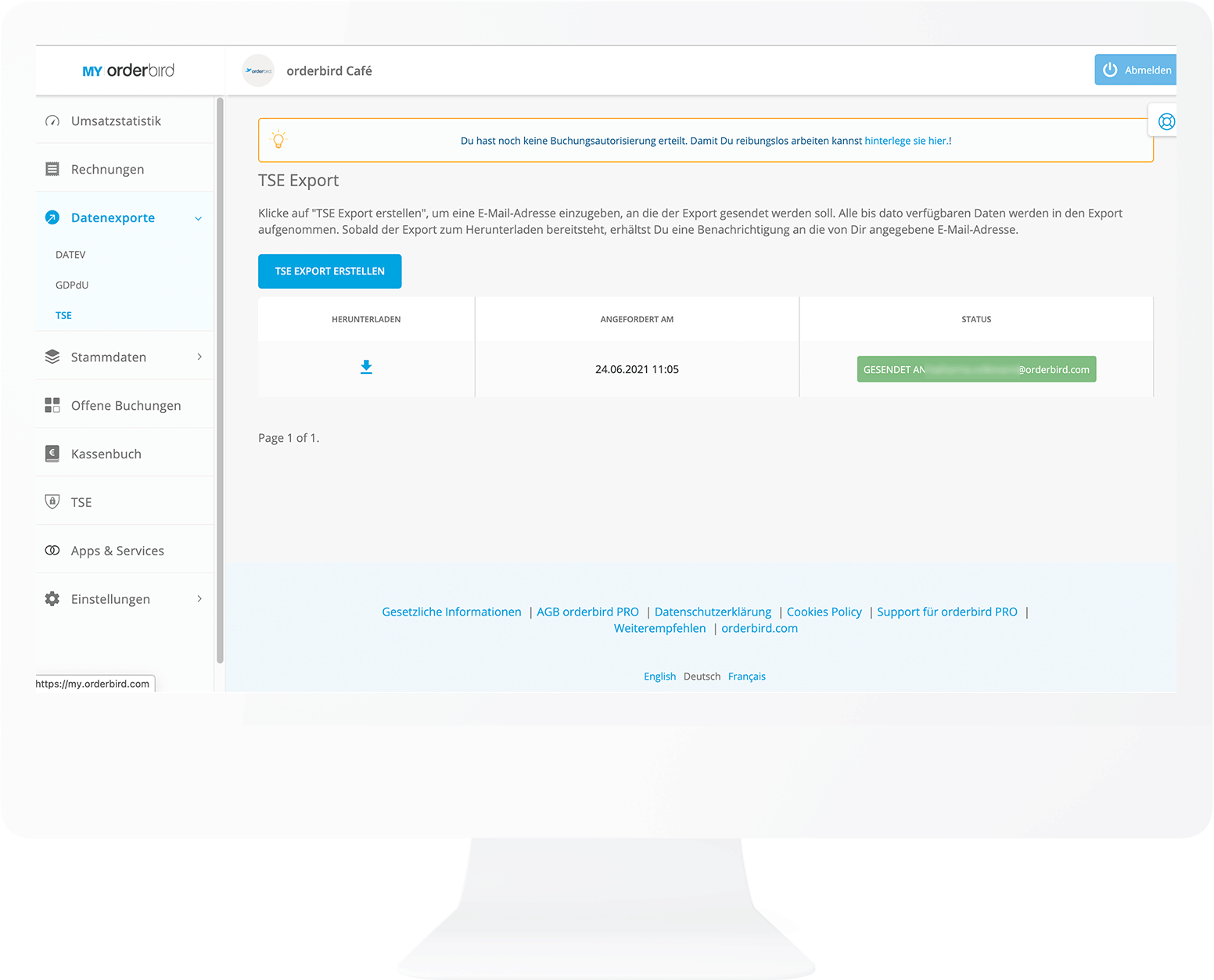
- As soon as the export is ready for download, you will receive a notification at the email address you provided. Depending on the size of the requested export, deployment may take up to several hours.
Extract and send the *.der or *.pem certificate file
If you are only asked for the certificate file during an exam and the TSE export is not desired, you can extract the certificate file from the TSE export and send it individually. That's how it's done:
- Download the TSS Export (e.g. "TSS_Export_xxx_xxx.tar") as described above.
- Open the TSS Export with a packer program of your choice, for example the free 7-Zip to unpack the tar file. A program is already pre-installed on many computers and double-clicking on the file automatically unzips it.
- Find the certificate file. It's the only file that ends in *.pem or *.der. Forward this file directly to the examiner via e-mail or save it on a USB stick that you pass on.
- Important: Please do not open the pem or der file, but forward it unopened to the examiner.
What is in the certificate file (pem/der file)?
Unfortunately nothing exciting :) Just an infinitely long string of characters that is the certificate for your TSE. It looks something like this:
-----BEGIN CERTIFICATE-----
MIICGjCCAcGgAwIBAgIgXSDwNzty5nWDzP+AbGVNgFznDE8ZTZrbcn0yhbsjJVow
CgYIKoZIzj0EAwIwXTELMAkGA1UEBhMCQVQxDzANBgNVBAcMBlZpZW5uYTEVMBMG
A1UECgwMZmlza2MIAUBHbWJIMSYwJAYDVQQDDB1maXNrYWx5IHNpZ24gVGVzdCBD
ZXJ0aWZpY2F0ZTAeFw0xYTAkFUMQ8wDQYDVQQHDAZWaWVubmExFTATBgNVBAoMDG
OTEyMjEyMTM4MzJaFw0yOTEyMTgyMTM4MzJaMF0xCzAJBgNVBAZpc2thbHkgR21i
SDEmMCQGA1UEAwwdZmlza2FseSBzaWduIFRlc3QgQ2VydGlmaWNhdGUwWTATBgcq
hkjOPQIBBggqhkjOPQMBBwNCAARajmJm9eCPhH9hy/+u3WWTWcpmKKyN+dgGFlgA
cyTDOPxw2g77raX8pNbTSpO5Qe5xJUa5ZbLVqFB534c10bZJo1MwUTAdBgNVHQ4E
FgQUWXo9iXNsTdJKjaFHf18cwsOUEx0wHwYDVR0jBBgwFoAUWXo9iXNsTdJKjaFH
f18cwsOUEx0wDwYDVR0TAQH/BAUwAwEB/zAKBggqhkjOPQQDAgNHADBEAiA7/HHQ
V3xuZKSNfTQmlJ260CvJo7+NLNCGMKHqJlg2TAIgAfCEu4kY6rRe9yOnMgbLP1ae
OaoKfn0Z2RcpbMNHATY=
-----END CERTIFICATE-----